
 English
iPhone iCloud Check — Verify Activation Lock (Find My iPhone) by IMEI


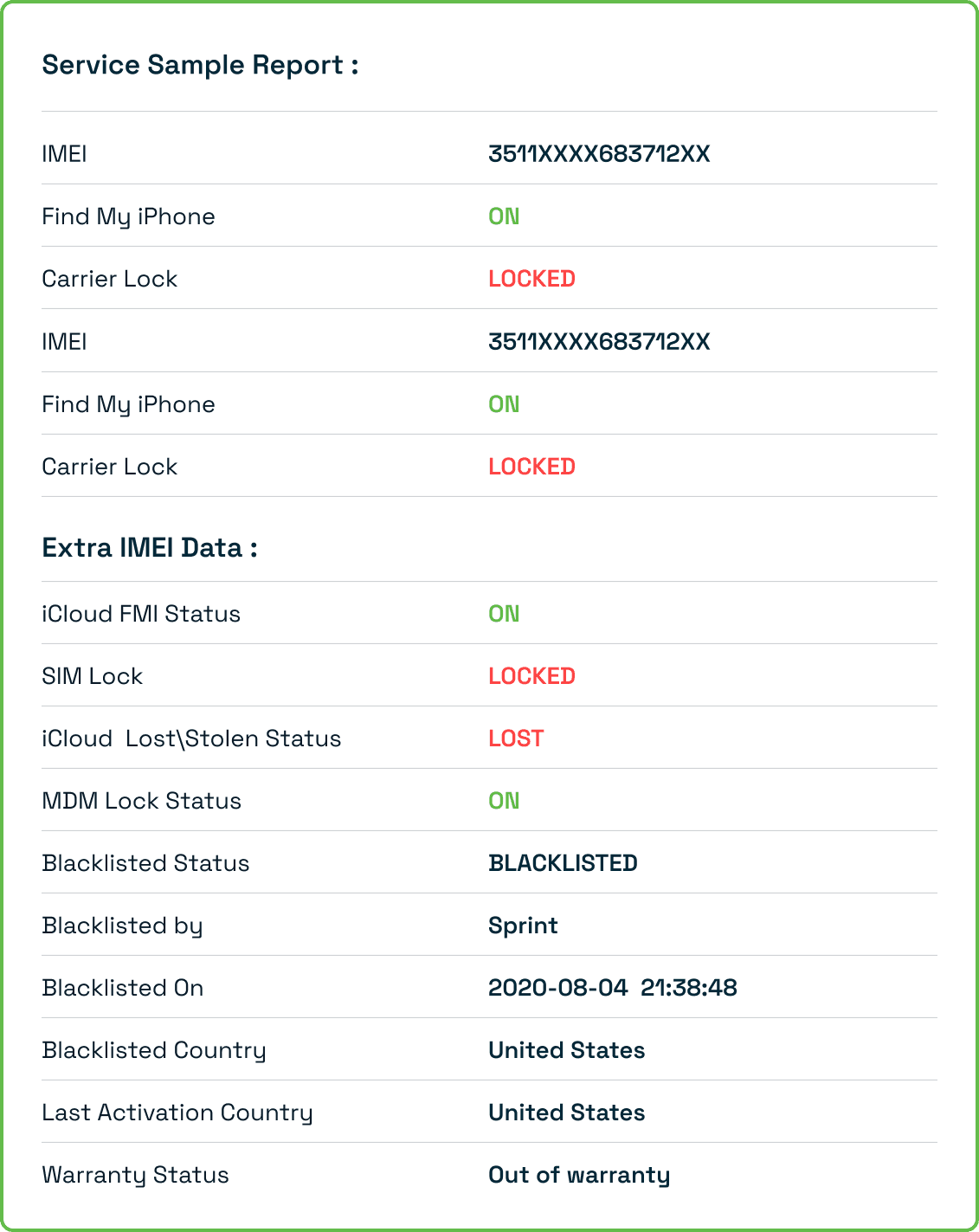
View Sample Report
Report Delivery Time :
iPhone iCloud Check — Verify Activation Lock (Find My iPhone) by IMEI
Before you buy or sell an iPhone, checking its iCloud status is one of the few steps that can save you from ending up with a device you can't use. Enter the IMEI above to see whether Activation Lock is ON or OFF, and get a full iPhone iCloud Check report sent to your email.
What Is an iPhone iCloud Check?
An iPhone iCloud Check looks up the IMEI number of an Apple device and tells you whether Activation Lock, also known as Find My iPhone (FMI), is currently switched on. Apple turns Activation Lock on automatically the moment a user enables Find My iPhone in their iCloud settings, and it stays linked to that Apple ID until the owner removes it.
The check returns one of two results:
- iCloud OFF: Find My iPhone is disabled. The device is clean and can be set up with a new Apple ID.
- iCloud ON: Find My iPhone is enabled. The device is still tied to an Apple ID and will ask for that owner's credentials during setup.
Knowing this before money changes hands is what separates a safe second-hand purchase from an expensive mistake.
iCloud ON vs iCloud OFF — What Each Result Means
iCloud OFF
This is the result you want to see when buying a used iPhone. Find My iPhone has been disabled, which means there's no Activation Lock standing between you and the device. It can be erased and set up with your own Apple ID without any password from the previous owner. As good practice, still ask the seller to confirm they've signed out of iCloud completely before you hand over payment.
iCloud ON
An ON result means the device is currently linked to someone's Apple ID. If you buy it in this state, you'll need that person's Apple ID and password to use it, and without them the phone is effectively locked to its previous owner. This on its own doesn't mean the device is stolen, plenty of active Apple users simply leave Find My iPhone switched on, but it is a reason to pause. Ask the seller to sign out of iCloud in front of you, then run the check again to confirm the status has changed to OFF. If they can't or won't do that, it's worth pairing this result with an iPhone Lost – Stolen Check before you go any further.
Why Check iCloud Status Before Buying or Selling a Used iPhone
For buyers, the risk is straightforward: an iCloud-locked iPhone becomes unusable the moment it's reset. It will sit on a setup screen asking for an Apple ID and password that only the original owner has, and Apple won't remove that lock without proof of original purchase.
For sellers, it's about protecting the sale. Buyers increasingly check iPhone Lost – Stolen Check results and iCloud status before they'll commit to a purchase, so a device that's already confirmed clean and signed out closes faster. It also protects you legally, since knowingly passing on a locked or disputed device can create problems well after the sale is done.
Buying a Used iPhone? Follow This Check Order
An iCloud check is the starting point, not the whole picture. Run these in sequence before you pay for a used iPhone:
- iCloud Check (this page): confirm Activation Lock is OFF.
- Blacklist Check: use iPhone Blacklist Check to make sure the device hasn't been reported lost, stolen, or left with unpaid carrier bills.
- Carrier Lock Check: run iPhone Carrier Lock Check to confirm which network the phone is tied to, or that it's fully unlocked.
- Warranty Check: verify coverage and activation date with iPhone Warranty Check so you know exactly what you're buying.
- Ask the seller to sign out of iCloud in front of you, then re-run the iCloud check to confirm OFF before you pay.
How to Perform an iPhone iCloud Check

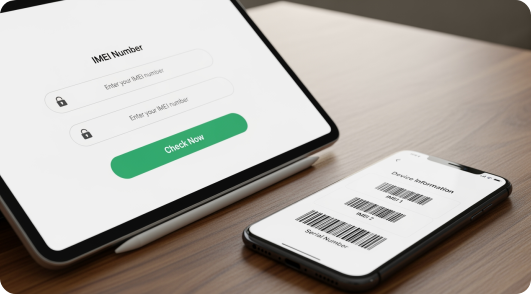
Locate the IMEI. You can find it in Settings, General, About; by dialing *#06# on the phone; on the original box or SIM tray; or, if the device hasn't been set up yet, by tapping the info icon on the Hello screen.



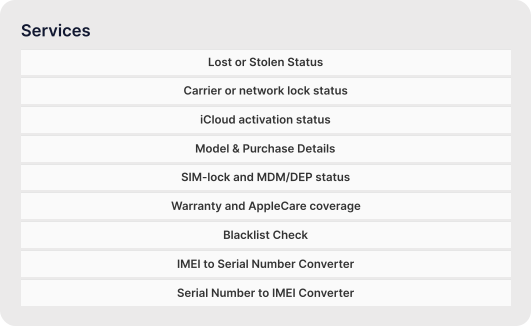
Review the result. Your report will show the iCloud activation status (Locked or Unlocked), whether an Apple ID is currently associated with the device where that data is available, and how the result lines up with a full iPhone IMEI Check if you want the complete picture.
Benefits of Using This iPhone iCloud Check
Instant results
- Verify activation lock status in seconds.

iPhone-focused
- Designed specifically for Apple devices, ensuring accuracy.

Safe and reliable
- Fully online, confidential, and accurate.

Supports buying and selling
- Avoid inaccessible or stolen devices.

iPhone IMEI Check
Check Phone IMEI
Explore IMEI generators for other leading brands:
Loading...
Carrier IMEI Check
Frequently Asked Questions
Yes, you can check your iPhone's iCloud status instantly and free online.
Absolutely. Verify device details, network, iCloud, and warranty before purchase.
Yes, the iCloud check complements iPhone Lost – Stolen Check and iPhone Blacklist Check to provide full safety.
Yes, from older iPhones to the latest models, all devices can be checked using IMEI.
Activation Lock is the anti-theft feature Apple builds into every iPhone, iPad, and Apple Watch. It switches on automatically as soon as Find My iPhone is enabled, and it ties the device to the owner's Apple ID so nobody else can erase, reactivate, or use it, even after a full factory reset, without that Apple ID password.
iCloud ON means Find My iPhone is enabled and Activation Lock is active on that device. iCloud OFF means Find My iPhone is disabled and there's no Activation Lock in place, so the device is free to set up with a different Apple ID. OFF is the status you want to see before buying a used iPhone.
Yes. The IMEI alone is enough to run the check. Some tools also accept the serial number as an alternative, but you only need one of the two, not both.
Only the original owner can legitimately remove Activation Lock, either by signing out of iCloud on the device itself or by removing it remotely from their Apple ID. If you're unsure whether a lock can be cleared on a specific device, run a full iPhone IMEI Check first, and be cautious of any service that claims it can bypass or remove Activation Lock for a fee without owner verification.
Start with the iCloud Check to confirm Activation Lock is OFF, then run a Blacklist Check and a Carrier Lock Check, and finish with a Warranty Check. Only complete the purchase once the seller has signed out of iCloud in front of you and a final iCloud check confirms OFF.




