Logo
  • UNLOCK PHONE
  • FREE UNLOCK
  • IMEI CHECK
    • iPhone GSX Report (Full History)
    • Check Unlock Eligibility
    • IMEI Generator
    • IMEI Calculator
    • Check All
  • APPLE IMEI CHECK
    • iPhone IMEI Check
    • IMEI iCloud Check
    • IMEI Stolen Check
    • IMEI Carrier Check
    • IMEI SIM Lock Check
    • IMEI MDM Check
    • IMEI Unlock Check
    • IMEI Blacklist Check
    • IMEI Warranty Check
    • iPhone GSX Report (Full History)
  • GIFT CARDS
  • CARRIER
  • HOW IT WORKS
  • TRACK ORDER
FlagEnglish

iPhone IMEI Lost–Stolen Check

Verify Theft

imeiservice Icon
email Icon
View Sample Report

Report Delivery Time : 15 to 30 MinsReport will be delivered on your given email id or else you can check from track order
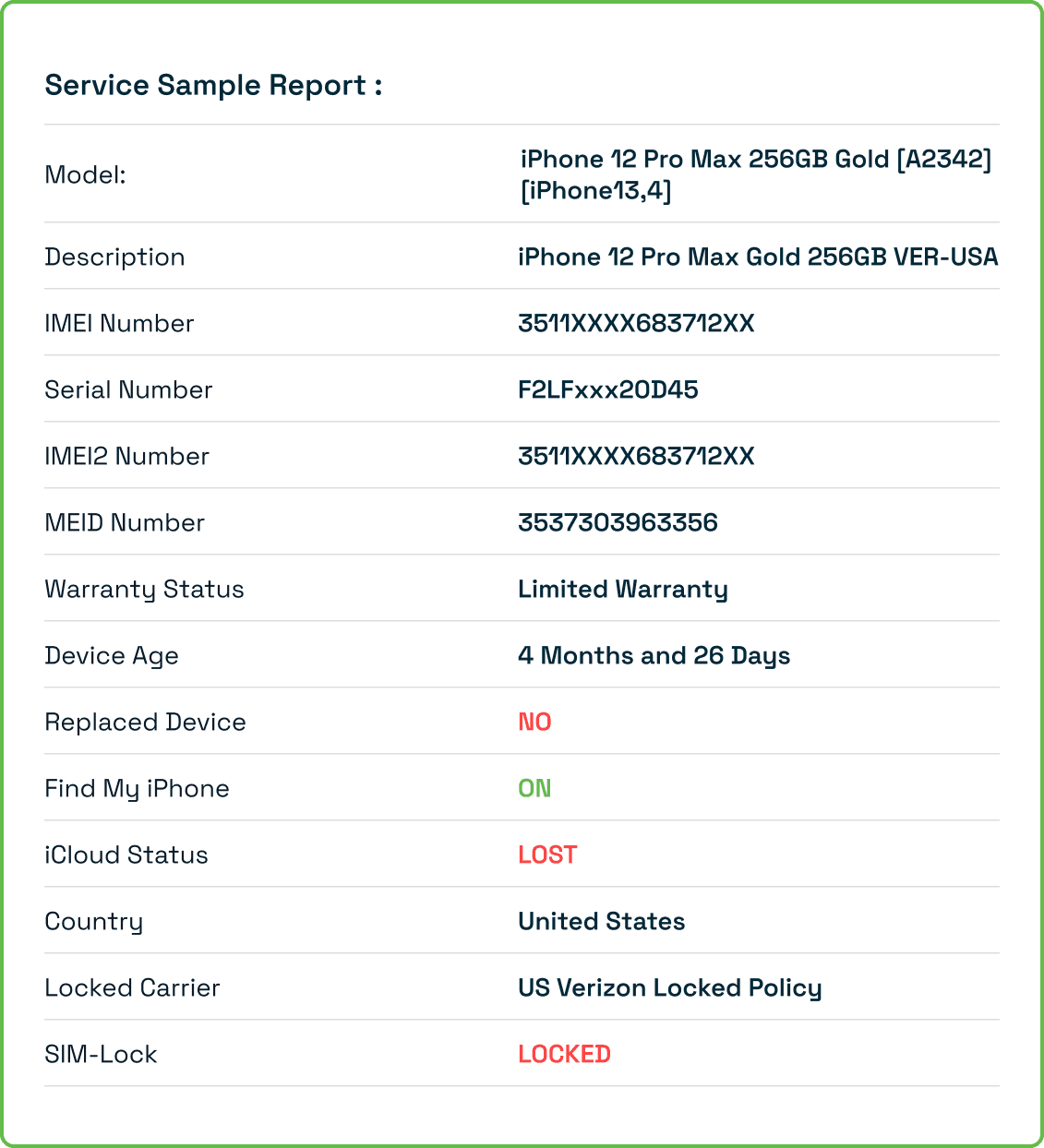
Sample Report

Before purchasing or selling any iPhone, it is important to confirm whether the device is lost, stolen, blacklisted, or blocked. A single IMEI check can reveal the complete safety status of the device and protect users from buying a risky or unusable iPhone.

Using the iPhone IMEI Lost–Stolen Check, you can instantly detect theft reports, carrier blacklists, insurance claims, and ownership flags. This check acts as a complete safety shield for second-hand buyers and resellers, ensuring that the device is legally safe and fully usable.

What Is an iPhone IMEI Lost–Stolen Check?

An iPhone IMEI Lost–Stolen Check is a verification process that uses the device’s IMEI number to identify whether it has been:

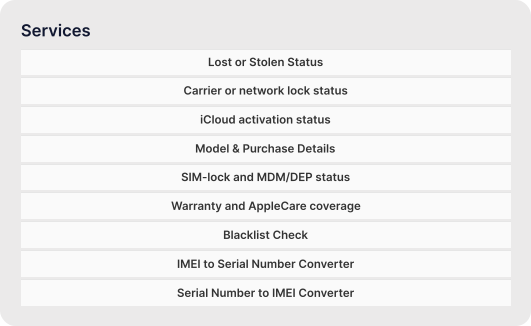
  • Reported lost
  • Reported stolen
  • Blocked or barred by network carriers
  • Blacklisted due to fraud or unpaid bills
  • Involved in insurance claims
  • Flagged in Apple GSX records

This check helps confirm whether the device can be legally used, activated, or sold. If an iPhone is blacklisted or reported stolen, it may not work on any network — even after unlocking.

It is a crucial safety step for all second-hand iPhones.

Why You Should Perform an iPhone IMEI Lost–Stolen Check

Checking the lost–stolen status of an iPhone protects users from legal, financial, and usability issues. Here’s why it’s important:

  • Avoid buying stolen or illegal iPhones: that the device is not involved in theft or fraud.
  • Check blacklist & carrier block status: Blacklisted iPhones cannot be activated on many networks worldwide.
  • Identify unpaid bill or fraud issues: Carriers may block devices linked to unpaid installments or scams.
  • Verify authenticity before selling: Sellers can prove that their iPhone is clean and safe.
  • Cross-checks Apple GSX records: Ensures the device has no hidden flags or reported theft activity.
  • Ensures SIM and network usability: A lost/stolen iPhone may lose service even if unlocked.

With this check, you avoid buying a risky device and ensure full access and long-term usability.

How to Perform an iPhone IMEI Lost–Stolen Check

Find Your iPhone’s IMEI

Steps :

  • You can locate the IMEI using:
  • Settings → General → About
  • Dial *#06#
  • Original packaging
  • SIM tray engraving

Enter the IMEI Number

Steps :

  • Enter the 15-digit IMEI into the iPhone IMEI Lost–Stolen Check tool.

View the Lost/Stolen Report

Steps :

The report provides detailed information including:

  • Lost or stolen status
  • Blacklisted or barred status
  • Network carrier blacklist details
  • Insurance and fraud reports

Benefits of Using iPhone Lost–Stolen IMEI Check

Instant lost/stolen detection

  • Directly identifies theft or fraud reports.
App Developers Icon

Blacklist status verification

  • Checks if carriers have blocked the device
Network Engineers Icon

Secure second-hand buying

  • Protects from scams and unusable iPhones
QA Testers Icon

Accurate IMEI legitimacy check

  • Ensures the IMEI is original and unchanged
Students Icon

Questions About Our OpenUp Service ?

It means the device is blocked due to theft, fraud, unpaid bills, or carrier violations.

No — even if unlocked, it will not work on networks if blacklisted.

Yes, every iPhone with an IMEI can be verified.

Yes, many blacklist reports include unpaid financial obligations.

iPhone IMEI Check

iPhone IMEI Check

Instantly verify iPhone’s lock, blacklist, and activation status with real-time Apple data.

IMEI iCloud Check

Check iCloud Activation Lock (FMI) status and know if your iPhone is iCloud locked or clean.

IMEI Stolen Check

Find out if your device is reported lost or stolen across global databases before you buy or sell.

IMEI Carrier Check

Identify the network carrier and lock status to confirm if your iPhone is ready for any SIM.

IMEI SIM Lock Check

Know whether your iPhone is SIM locked or factory unlocked for worldwide carrier use.

IMEI MDM Check

Check if your iPhone is MDM enrolled or company-managed before resetting or unlocking it.

IMEI Unlock Check

Quickly confirm if your iPhone is eligible for network unlock or already factory unlocked.

IMEI Blacklist Check

See if your iPhone is blacklisted due to unpaid bills or theft — avoid buying blocked devices.

IMEI Warranty Check

Verify Apple warranty, coverage period, and device activation date with a single IMEI lookup.

Check Phone IMEI

Explore IMEI generators for other leading brands:

Loading...

Carrier IMEI Check

AT&T IMEI Check

Confirm network lock, blacklist, and activation status instantly. Find out if your iPhone is locked to AT&T or ready to use on other carriers.

Verizon IMEI Check

Ensure your iPhone is clean and eligible for activation on Verizon. Detect any outstanding payments, blacklist flags, or SIM restrictions.

T-Mobile IMEI Check

Check if your iPhone is T-Mobile locked or fully unlocked. Instantly verify SIM-lock, blacklist status, and unlock eligibility for T-Mobile USA.

Sprint IMEI Check

Verify Sprint iPhone status, including blacklist records, SIM restrictions, and compatibility with other GSM networks.

US Cellular IMEI Check

Check if your iPhone is locked to US Cellular or eligible for activation on other networks. Instantly verify blacklist, SIM-lock, and warranty details with a single IMEI lookup.

Metro-Pcs IMEI Check

Find out if your iPhone is Metro-locked or ready for any carrier. Instantly confirm blacklist, activation, and unlock eligibility for Metro by T-Mobile devices.

LockedIphone

Check Your iPhone Now

Ensure your iPhone is:

  • not stolen or blacklisted and involved in fraud
  • safe to buy or sell
  • fully usable on networks

Run your iPhone IMEI Lost–Stolen Check now to get a complete safety and legitimacy report instantly.


Logo
  • UNLOCK PHONE
  • FREE UNLOCK
  • IMEI CHECK
  • APPLE IMEI CHECK
  • GIFT CARDS
  • CARRIER
  • HOW IT WORKS
  • TRACK ORDER
Logo
English
footer logo

Best value for money service to unlock your phone from your network and get freedom to use any network carrier in the world. Just provide your IMEI number and receive your code via email.

  • Map Icon

    Narayan Infotech 409, Sumerru Business Corner B/h, Rajhans Multiplex, N/r Somchintamani, Pal Gam, Surat, Gujarat 395009

  • Mail Icon

    [email protected]

  • Phone Icon

    +91-8780215284

Unlock services

  • Unlock iPhone
  • Samsung Unlock Code
  • Unlock HTC Phone
  • Unlock LG Phone
  • T-Mobile Device Unlock App Service
  • MetroPCS Device Unlock App Service

Support

  • FAQ's
  • Privacy Policy
  • Terms and Conditions
  • Unlock Instructions
  • Support
  • Site Map

IMEI Check

  • iPhone GSX Report (Full History)
  • Check Unlock Eligibility
  • IMEI Generator
  • All Check

Company

  • About Us
  • How it Works
  • Our Apps
  • Blog
  • Testimonials
100% Trusted solutions at EasySimUnlocker
Secure Payment guaranteed with every unlock at EasySimUnlocker
Customer Satisfaction guaranteed with every order
Fast Delivery assurance for a quick unlocking experience
Refund Policy assurance for a risk-free unlocking experience
  • Map Icon

    Narayan Infotech 409, Sumerru Business Corner B/h, Rajhans Multiplex, N/r Somchintamani, Pal Gam, Surat, Gujarat 395009

  • Mail Icon

    [email protected]

  • Phone Icon

    +91-8780215284

Copyright © 2025 easysimunlocker.com

  • InstagramFacebookYouTube