
 English
iPhone MDM – DEP Check
Identify Corporate Lock Instantly


View Sample Report
Report Delivery Time :
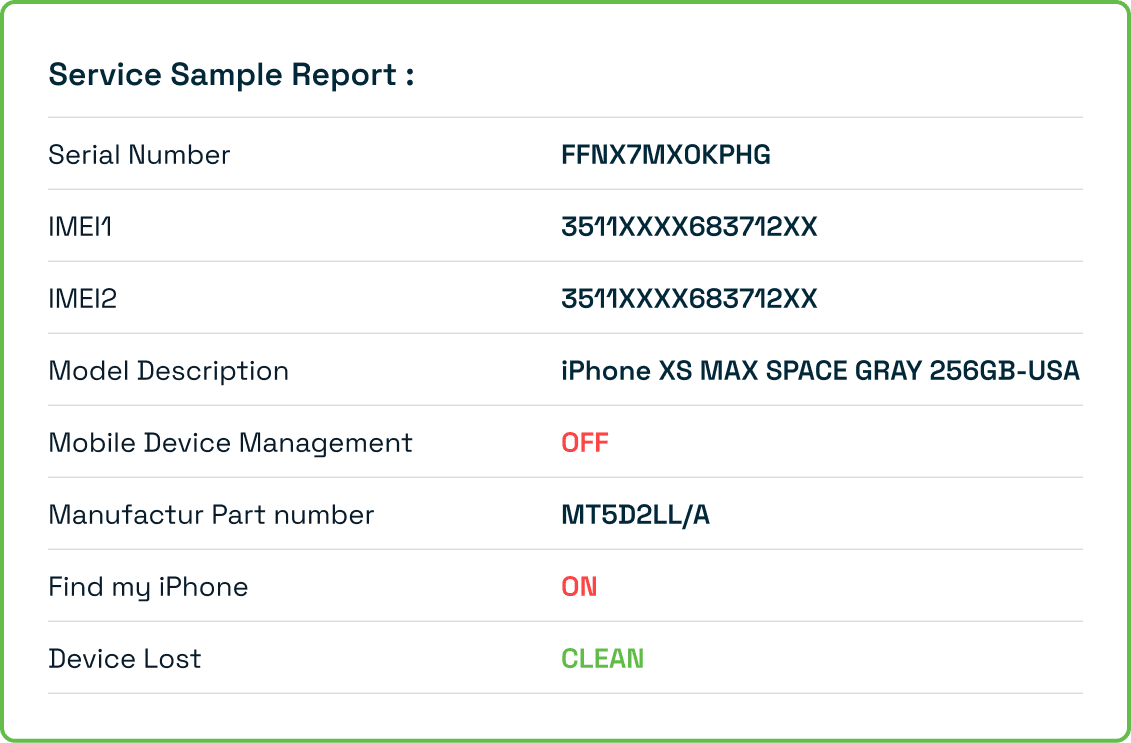
Many iPhones, especially those previously owned by businesses or schools, are enrolled in MDM (Mobile Device Management) or DEP (Apple’s Device Enrollment Program). These management systems allow organizations to control the device remotely—restricting features, monitoring usage, or even locking the phone completely
Running an iPhone MDM – DEP Check helps you confirm whether the iPhone is under corporate supervision, whether it carries remote management restrictions, and whether activation is blocked due to an MDM profile. This is essential for buyers of pre-owned devices, users experiencing activation lock during setup, or anyone unsure about a device’s ownership history.
What Is an iPhone MDM – DEP Check?
An iPhone MDM – DEP Check is a verification process that reveals whether your device
- Is enrolled in Apple’s Device Enrollment Program (DEP)
- Contains an active MDM remote management profile
- Is supervision locked by a company or organization
- Has restricted settings due to corporate policies
- Will activate or fail activation because of MDM hold
- Was previously owned by a school, business, or enterprise
This check uses the device IMEI to identify if the iPhone is managed or supervised, helping users avoid devices that cannot be fully controlled, reset, or used personally.
Why You Should Perform an iPhone MDM – DEP Check
An MDM/DEP-locked iPhone can create numerous problems for users. Checking it in advance protects you from:
- Buying an iPhone that remains controlled by a previous organization
- Activation issues such as “Remote Management Lock”
- Unknown restrictions on apps, settings, and calling features
- Security policies preventing account changes or software updates
- Corporate wipe commands that can reset the device remotely
- Ownership disputes if the device remains registered to a company
This check is especially important when purchasing second-hand or refurbished iPhones, as many users unknowingly buy devices that are still tied to enterprise management.
How to Perform an iPhone MDM – DEP Check

Locate Your IMEI
Steps :
You can find your IMEI through
- Go to Settings → General → About
- Dial *#06# on the iPhone
- Checking the SIM tray or original packaging


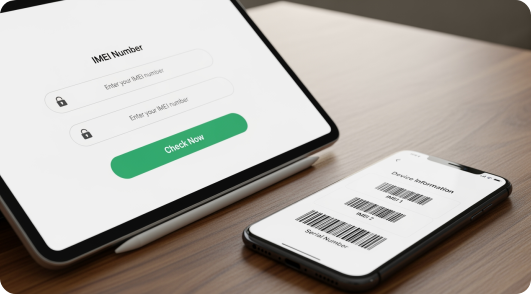
Enter Your IMEI
Steps :
- Submit the 15-digit IMEI number into the iPhone MDM – DEP Check tool.

Review the MDM/DEP Status
Steps :
Your report will include:
- Whether the device is DEP-enrolled
- Active or inactive MDM profile
- Supervision lock status
- Remote management capability
- Organization ownership details if available
- Activation status and potential restrictions
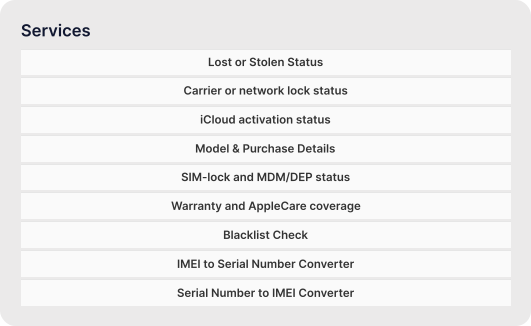
Benefits of Using iPhone MDM – DEP Check
Identify MDM restrictions
- Shows if the device is controlled by a company or school.

Detect DEP enrollment
- Confirms whether the iPhone is registered under Apple’s Device Enrollment Program

Avoid activation issues
- Helps you know in advance if the device might lock during setup

Safer second-hand buying
- Protects you from purchasing MDM-locked or corporate-owned devices.

Questions About Our OpenUp Service ?
It means the device is managed by a company, school, or organization with remote control and restrictions
No. A reset does not remove MDM or DEP. The device will re-lock during activation if still supervised.
No. Such devices often cannot be unlocked, activated, or fully controlled, making them unsuitable for personal use.
Yes. The IMEI report will show whether the device is enrolled in DEP or has an active MDM profile.
iPhone IMEI Check
Check Phone IMEI
Explore IMEI generators for other leading brands:
Loading...
Carrier IMEI Check

Check Your iPhone Now
Ensure your iPhone is not under corporate supervision or remote management
- MDM lock
- DEP enrollment
- Activation restrictions
- Supervision status
- Device ownership history
Run your iPhone MDM – DEP Check now for complete clarity before buying, selling, or activating your device.




